
A WiFi "brain" for old 3D printers. Mostly working, needs tuning and proper testing: installed in a WEEDO Tina 2 with a BTT SKR Pico, it heats, PID-tunes, runs the motors and TMC2209 drivers and triggers stallGuard from a phone. Printing a file has only run in simulation so far.
What works today (WEEDO Tina 2 + SKR Pico + ESP32-S3)
Heating, with Klipper's safety
Thermistors, heater PWM, PID tuning, the heater test and the safety shutdowns all work on real hardware. Needs proper testing over longer runs.
Motors and TMC2209
Motor tests turn the motors, every TMC2209 answers, and stallGuard triggers. The threshold, motor current, speeds and rotation_distance still need tuning (there are boxes for that on the Test bench).
Fans
The hotend fan is confirmed working. The part-cooling fan and the third fan output have not run yet: possibly a broken wire. Will update when tested.
Klipper link and phone UI
The ESP32-S3 identifies, configures and clock-syncs the board over four jumper wires, recovers from board power cycles, and serves the status page, console, printer.cfg editor, Test bench and Printer page from its own WiFi.
Simulated only
Moves, full homing and probing, and printing an uploaded G-code file: tested against a simulated board and in 1,000+ unit checks, not yet on the printer.
Flasher window
Slave (printer board) and Master (ESP32-S3 only) tabs, firmware for every listed board shipped ready to flash. The SKR Pico and ESP32-S3 paths are used on real hardware; the other boards are compile-only.
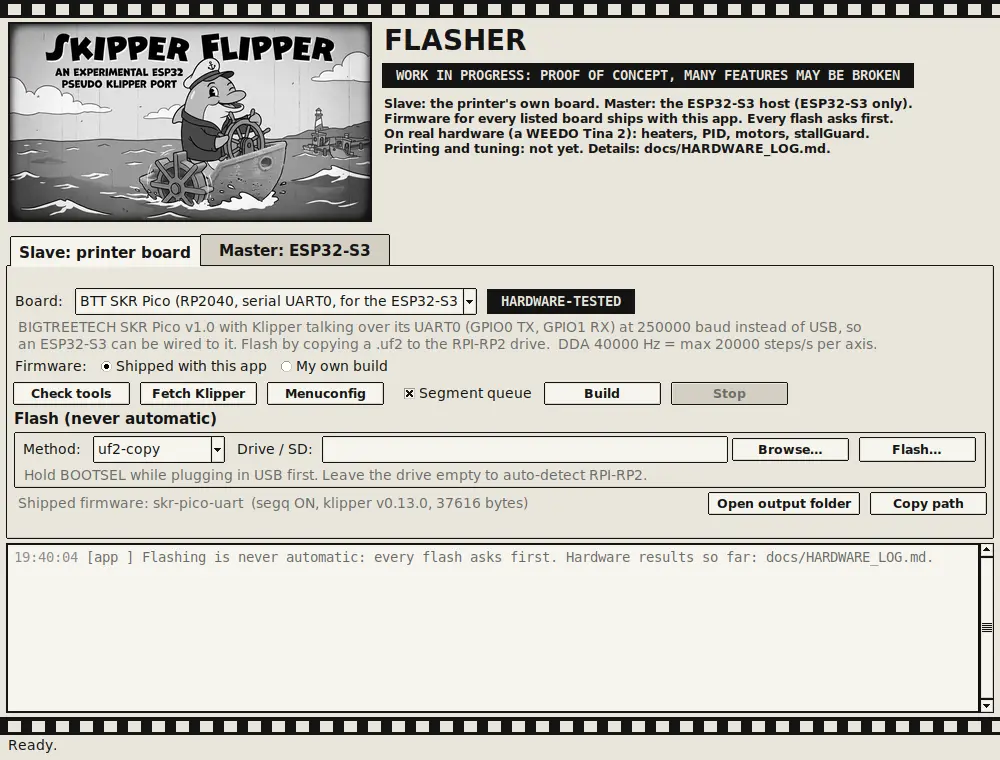
The Flasher, Slave tab, with the SKR Pico firmware that runs in the Tina 2.
Still to do
Tuning (stallGuard, motor current, speeds, rotation_distance), proper long-run testing, a first real print, the remaining fans, and SD-card support for big G-code files. The whole story, every mistake included, is in the paper A Frankenstein Experience (PDF). Real-hardware results, dated: hardware log.
Try it
git clone https://github.com/The-Dorkknight/esp-printhost
cd esp-printhost
sudo python3 printhost.py
Linux only for the probe and the one-command setup. The README lists exactly what the setup command changes on your system, and why wrong firmware can leave a board unresponsive until re-flashed.